

Safer TVs: you choose who puts things on yours
In your home you choose who puts videos on your TV, shared screens and videos are checked, and anyone can report what a TV shows.
Free account, straight into World. Already on MatchFlow? Log in with the same account.
What's new
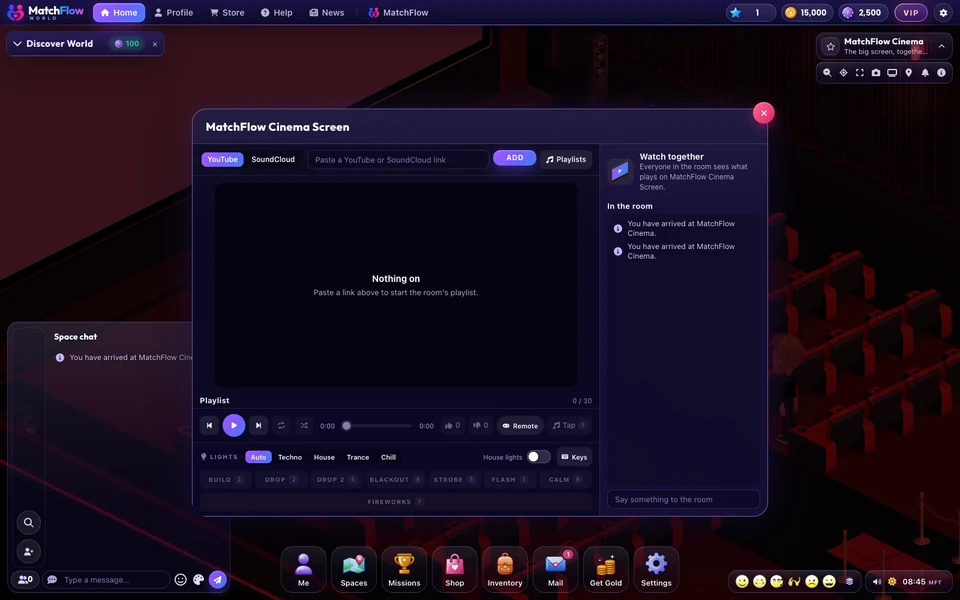
A TV in World shows its picture to everyone in the room, whatever their age. So from today, what goes on a TV is checked, the owner of a home chooses who may put things on its TVs, and anyone in the room can report what a TV shows.
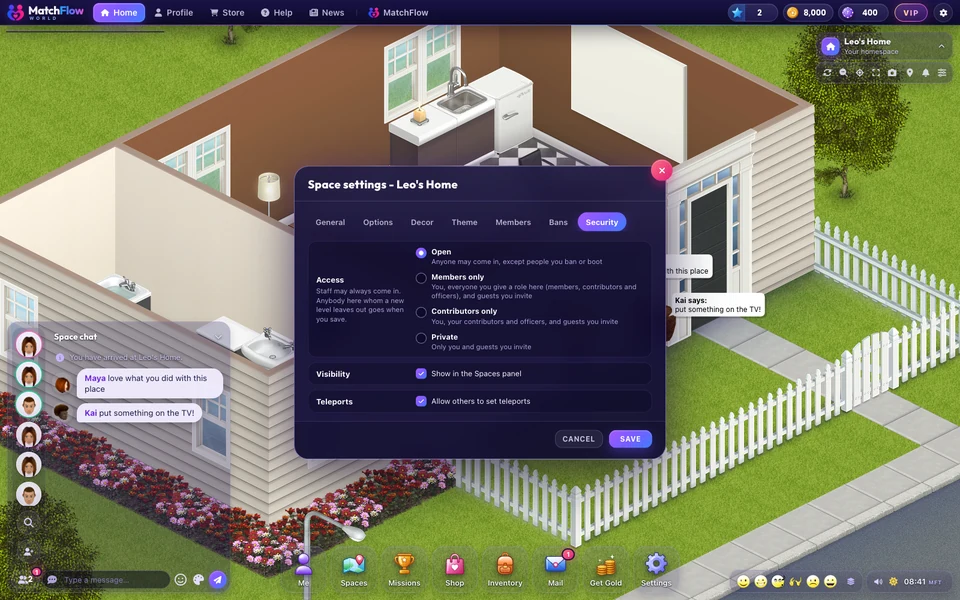
In your own home, only you, the people who decorate it and staff put videos on your TVs or share a screen on them, until you let visitors do it too. At FreeWorlds' own venues, like the Cinema and the Arena, everyone can still play something, as before.
Updated .
Step by step
How it works
-
Choose who puts things on your TVOpen a TV in your home and press Settings. Switch on Members can add to the playlist to let visitors put videos on it, and Visitors can share their screen to let them share. Both start off, and you can switch them off again at any time.

Who may put things on this TV. -
Shared screens are checkedWhile somebody shares a screen on a TV, a small still of it is checked every 10 seconds. Nobody sees the share until its first check passes. If a still is sexual, the share stops at once and that member can't share a screen for a while: 1 minute the first time, longer each time after. Something fine for adults but not for younger members stays on, blurred for members under 18 until it passes for them too. A share whose checks stop coming is ended too.
-
Videos are checked tooBefore a YouTube video or a SoundCloud track goes on a TV or into a playlist, its pictures are checked. One that shows sexual content can't be put on.
-
Report what is on a TVOpen the TV and press the flag beside its controls, then pick what is wrong. It disappears for you straight away and goes to staff. Once 2 people in the room have reported the same video or share, it stops for everyone.
Good to know
- If you let visitors put videos on your TV before this update, switch it on again in the TV's Settings.
- The person who put something on a TV can't report it, but they can stop it.
- Staff can see who put what on a TV and when, so they can act on a report.
News
More from FreeWorlds
-

A fresh look for your favourite expressions
A toothy laugh, a beating heart, a sly purple devil, golden clapping hands and a whistling face bring fresh expressions to World. -

Buy a ready built house, or build your own
Twelve ready built houses, beach, apartment, farm and garden, from 2,000 gold to 15,000 gold. And the house builder is open to everyone. -

Take a closer look at Bloom Park's flowers
Fuller flower beds, finer leaves and rounded flowering shrubs bring more detail to Bloom Park's gardens.
Keep exploring
More of FreeWorlds

Ready to start your story?
Make your avatar and go and see it for yourself.