

A ball to kick about, a clearer map and a free spin
Walk into a ball and it rolls, roll it into a goal and you score. Also a clearer map, colours in the Shop and a Free Spin every 5 hours.
Free account, straight into World. Already on MatchFlow? Log in with the same account.
What's new
FreeWorlds has a ball to kick about. Walk into one and it rolls away the way you were going, bounces off walls and furniture, and stays where it stops for everyone in the room. Set up a pair of soccer goals and you have a pitch: roll the ball into the net and GOAL! goes up over it.
The map in the corner of your screen has been drawn again from scratch. It shows the room as it is right now, with everybody in it as a dot, your friends in their own colour and you as an arrow.
In the Shop, an item that comes in several colours is now one row with a colour picker on its card. And Spin To Win has a Free Spin every 5 hours, beside a Gold Spin that costs a lot less than before.
Step by step
How it works
-
Kick a ballWalk into a ball and it rolls the way you were going. The faster you are moving, the further it goes. It bounces off walls and furniture and stops at the feet of anyone standing in its way. The balls that roll are the Deluxe Summer Beach Ball, the Rainbow Ball, the Whimsy Soccer Ball and the Whimsy Spinning Basketball: put one down from your Inventory like any piece, and anyone in the room can play with it.
-
Score a goalThe Professional Soccer Goal and the Training Soccer Goal are in the Shop under Garden and then Outdoor Living. Set two up facing each other. Roll the ball into a goal's mouth and it goes into the net, GOAL! goes up over it and the chat tells the room who scored. A moment later the ball is back on the spot halfway between the goals.

A real goal, just scored. -
Find your way with the mapPress the map pin at the top right, under the space's name. The map shows the floor, the walls, the doors and the furniture, and everyone in the room as a dot: friends in their own colour, you as an arrow pointing the way you face. Point at a dot to see who it is, click the floor to walk there, and press its zoom to stay close round you as you move.

A friend on the map, by name. -
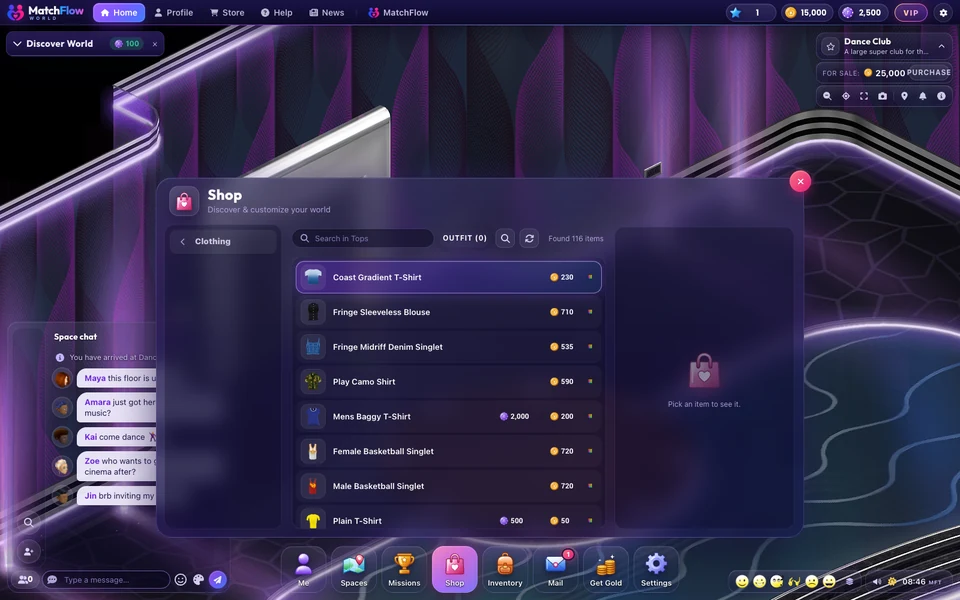
Pick a colour in the ShopAn item that comes in several colours is one row in the Shop now, with a small colours mark by its price. Open it and press the colour button on its picture: every colour shows, with its name and price as you point at it. Pick one, and Buy buys that colour.

Every colour of the Fallen Angel Wings on one card. -
Take your free spinOpen the Shop and pick Spin To Win, last on its list. The Free Spin costs nothing and comes round every 5 hours. The Gold Spin is 250 gold a spin, 3 for 700 gold or 5 for 1,000 gold.

The two wheels.
Also new
| What | What changes |
|---|---|
| Busy over your head | While you play a game, paint a canvas, shape a sculpture, write in a guest book or play an instrument, an icon over your name shows the room what you are busy with. Pick one from across the room and you walk up to it first. |
| Vote to skip | Where others are listening, Next on a TV or a stereo you do not run is your vote to skip. The song moves on once 30% of the people in the room who are not away have voted. The room's owner, the people who decorate it and whoever put the song on still skip straight away. |
| Close the video | The video docked in the corner of your screen has a close button. It stops the room's video for you alone, until you play or watch something again. |
| Missions | Missions you have collected leave the missions list and the tracker, so all you see there is what is left to do. |
Good to know
- Anyone in the room can kick a ball. Standing still, sitting down or walking away from it kicks nothing.
- If two of you reach the ball at the same moment, one of you kicks it.
- A ball stays its owner's: they can move it or pick it up as before.
- The Free Spin does not pile up. Spins you bought before this update are still yours, on the Gold Spin.
News
More from FreeWorlds
-

A fresh look for your favourite expressions
A toothy laugh, a beating heart, a sly purple devil, golden clapping hands and a whistling face bring fresh expressions to World. -

Buy a ready built house, or build your own
Twelve ready built houses, beach, apartment, farm and garden, from 2,000 gold to 15,000 gold. And the house builder is open to everyone. -

Take a closer look at Bloom Park's flowers
Fuller flower beds, finer leaves and rounded flowering shrubs bring more detail to Bloom Park's gardens.

Ready to start your story?
Make your avatar and go and see it for yourself.