

Build your own clothing designs, layer by layer
Build with panels, badges, pockets and stitch lines. Change every layer, try your design on an animated avatar and share it for feedback.
Free account, straight into World. Already on MatchFlow? Log in with the same account.
What's new
The clothing studio has more ways to turn an idea into a design. Add panels, chevrons, badges and lightning shapes, or build garment details with pockets, zippers, ribbing and stitch lines.
Each piece stays editable. Change its color, outline, width, height and position, copy it to the back, or lock it while you work on another layer. Tees also have a separate sleeve design surface.
Step by step
How it works
-
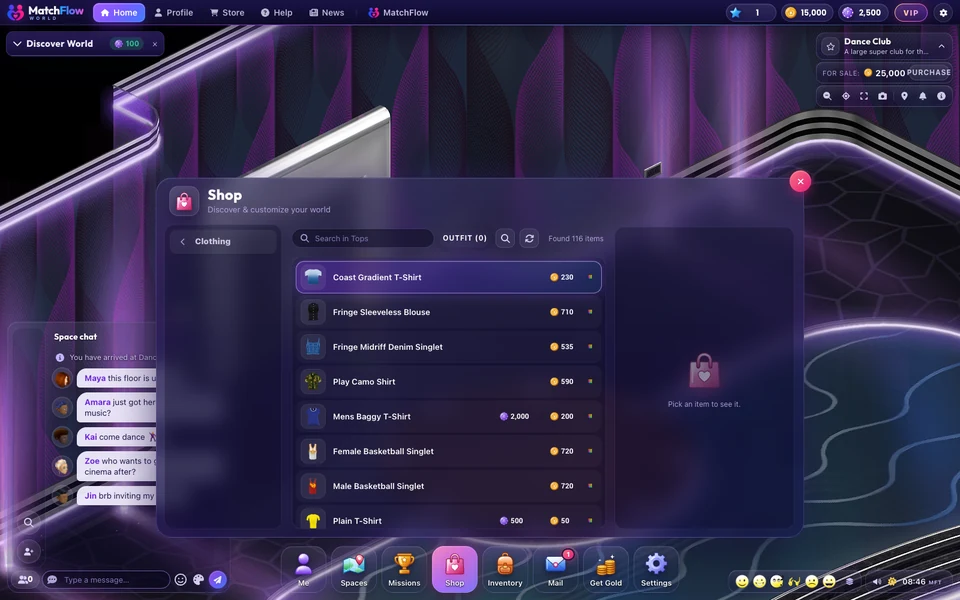
Choose a starting pointOpen the Shop, then Clothing studio. Choose a prepared fit, or pick Eclipse, Signal or Workshop from Start from to explore an editable example.
-
Make it yoursAdd a shape or garment detail from the palette. Drag it, resize it with the corner handles, or enter exact dimensions in Selected artwork. Duplicate layers, change their order and use Undo to try another idea.
-
Check and shareUse the fitting room to inspect standing, walking and seated views. Save draft keeps your editable design private. Share for feedback creates a review link for other members to preview and discuss it.
Good to know
- These tools decorate prepared fits. Pockets and zippers are surface details; they do not change the garment shape or import CAD models.
- Opposite avatar views mirror artwork. Check the fitting room before sharing.
- Designs are in the creator beta. They are not yet sold or added to the live wardrobe.
News
More from FreeWorlds
-

A fresh look for your favourite expressions
A toothy laugh, a beating heart, a sly purple devil, golden clapping hands and a whistling face bring fresh expressions to World. -

Buy a ready built house, or build your own
Twelve ready built houses, beach, apartment, farm and garden, from 2,000 gold to 15,000 gold. And the house builder is open to everyone. -

Take a closer look at Bloom Park's flowers
Fuller flower beds, finer leaves and rounded flowering shrubs bring more detail to Bloom Park's gardens.
Keep exploring
More of FreeWorlds

Ready to start your story?
Make your avatar and go and see it for yourself.